Interactive Development (REPL & Notebook)
After your program runs on the device, you can send more BlueScript code without editing files and running bscript project run again.
Try the Notebook
This walkthrough continues from Blink LED (GPIO package installed, LED wired).
1. Shorten index.bs
Keep the entry file small so the Notebook opens quickly. Setup belongs here; experiments go in cells.
import { GPIO, PinMode, PinLevel } from "gpio";

// CHANGE 2 TO 23 IF USING AN EXTERNAL LED
const led = new GPIO(2, PinMode.InputOutput);

console.log("LED ready.");
The led variable stays available in later cells.
2. Start the Notebook
bscript project run --with-notebook
The CLI runs index.bs, then opens the Notebook in your browser (http://localhost:3000). Leave the terminal open until you are done.
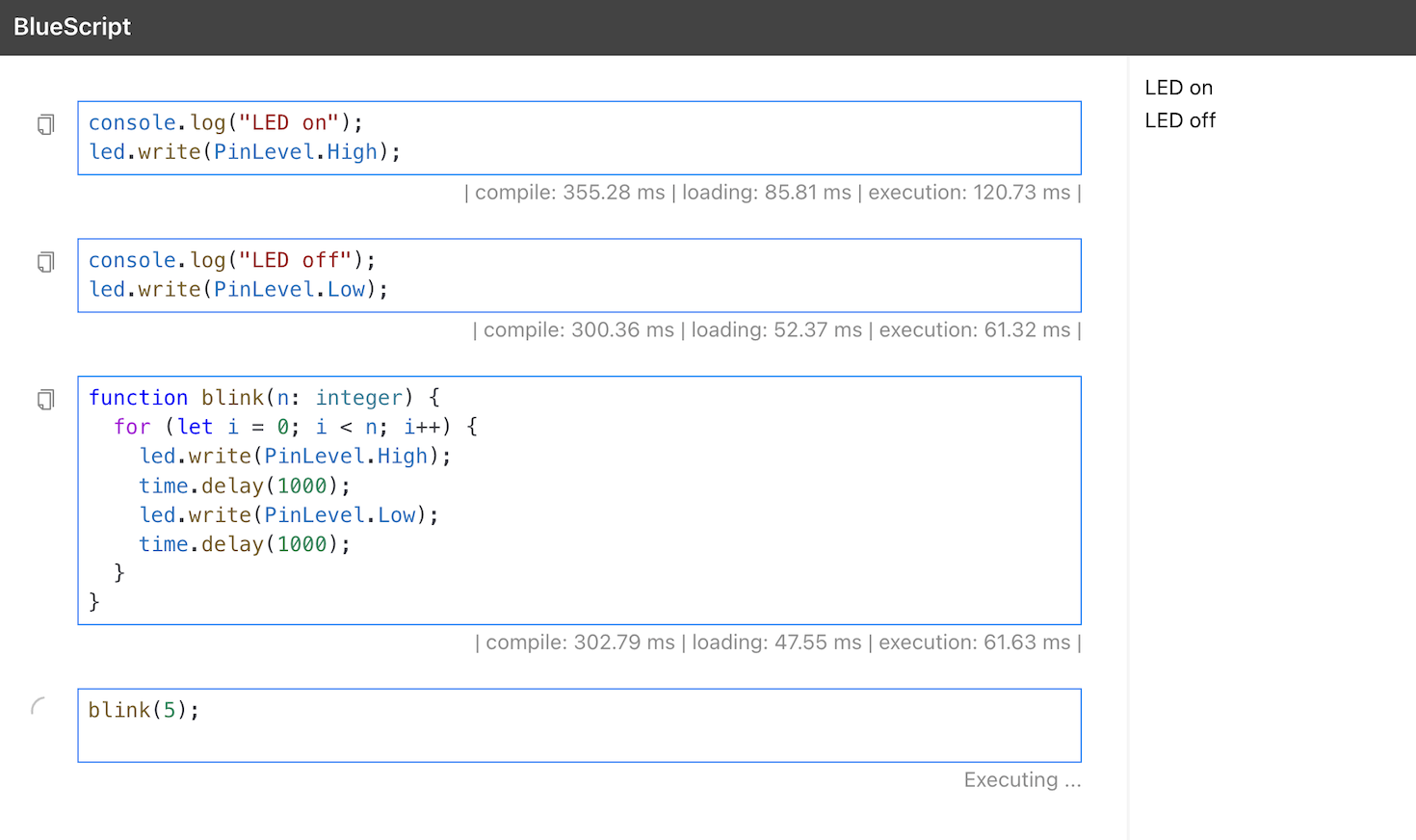
3. Run cells
- Type code in the bottom cell.
- Press Shift+Enter (or the play button).
- See
console.logoutput on the right.
Example—run these as two separate cells:
console.log("LED on");
led.write(PinLevel.High);
console.log("LED off");
led.write(PinLevel.Low);
Press Ctrl+D in the terminal to exit.
Other modes
Project REPL
bscript project run --with-repl
After index.bs runs, type one line at the > prompt. Installed packages (e.g. gpio) can be imported here. Exit with Ctrl+D.
Global REPL
bscript repl -b esp32
# or, without hardware:
bscript repl -b host
Use this for quick syntax checks without a project. GPIO and other installed libraries are not available. Exit with Ctrl+D.
Good to know
- Device name: Use
-d/--device-namewithbscript project run(Notebook and Project REPL) orbscript repl(Global REPL). The name must match what was set duringbscript board flash-runtime. Seebscript project run. - Code on the device is lost after a reboot—run the command again to re-upload.